Taboverflow - The Best Tab Management App
Have you ever had a session with multiple tabs in a browser? The tab bar is already quite a burden but this is when the nightmare really starts. Have you ever ended up with all of your time and effort wasted because the only thing you need to look at are a couple of tabs and you end up closing them by mistake? Well, this will not happen with Taboverflow. The app is designed with a focus on making the tab management process easy, effective, and less time-consuming.
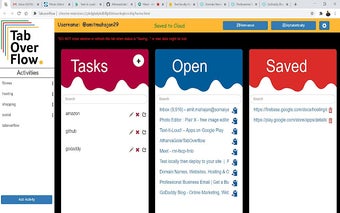
We have added an extra feature that will help you in doing the tab management in the most efficient manner. You can create and organize your tasks and projects as you want. If you feel that you have a task to complete, you can just simply create it in the app and it will get added to your project. You can even associate the activity with the project and do all the other things that you would need to do like adding notes, assigning to a specific user, adding due date, etc. The important thing is that all the activities you create are saved in a real-time database and are accessible to all the users who have registered. The activity will have the ID number of the project you have assigned it to. You can easily see all the activities and projects that you have associated with a specific user as well as those that belong to the whole team.
You can do all the things that you need in a tab, like closing it, assigning it to the team, etc. Our app is fully customizable.